Have you ever noticed that your phone becomes unusually hot while charging, playing games, watching videos, or browsing the internet? Perhaps your battery drains faster than usual, your screen becomes dim, or your phone starts running slowly when the temperature rises.
If you have experienced any of these problems, you may be wondering: Does overheating damage a phone, and what can you do to prevent it?
The short answer is yes. Excessive heat can damage your phone over time, shorten battery lifespan, affect performance, and, in severe cases, create a safety risk. However, it is important to understand that a phone becoming warm does not automatically mean it is damaged.
Modern smartphones are designed to generate some heat during normal activities. They also have built-in protections that can reduce performance, pause charging, display temperature warnings, or shut down the device when temperatures become too high.
The real problem begins when your phone becomes excessively hot, stays hot for a long time, or repeatedly overheats without an obvious reason.
In this article, we will explain how overheating affects your phone, the common causes of excessive heat, the warning signs to watch for, and the best ways to keep your device cool and working properly.
What Does It Mean When a Phone Overheats?
Phone overheating occurs when a device becomes hotter than its normal operating range. This can happen because the processor, battery, display, charging system, or wireless components are producing more heat than the device can safely dissipate.
Every smartphone generates heat during use. Activities such as playing demanding games, recording high-resolution videos, charging the battery, using mobile data, and running multiple applications require energy and can increase the device’s temperature.
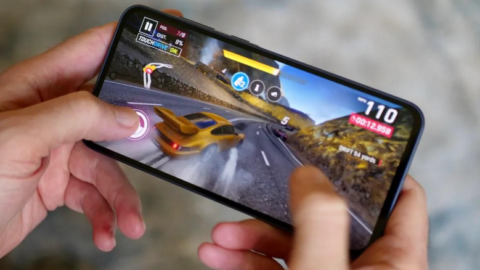
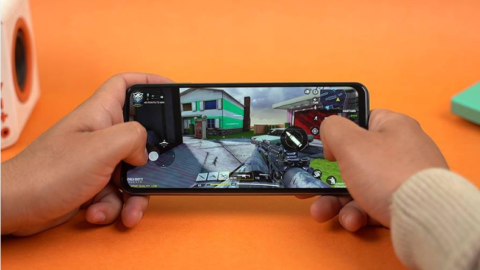
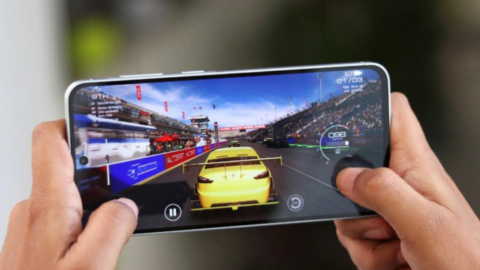
For example, playing a graphics-intensive mobile game for an extended period may cause your phone to become warm around the processor and battery. This can be normal, especially if the game places a heavy load on the device.
However, a phone that becomes painfully hot, repeatedly displays temperature warnings, or shuts down unexpectedly should not be ignored.
According to Apple and Samsung’s support guidance, phones may temporarily limit certain features and performance to control their temperature. These protective measures help reduce the risk of damage. https://support.apple.com/en-am/118431 https://www.samsung.com/us/support/answer/ANS10002887/
1. Can Overheating Permanently Damage a Phone Battery?
Yes. One of the most important components affected by excessive heat is the battery.
Most modern smartphones use rechargeable lithium-ion batteries. These batteries gradually lose capacity through normal use and repeated charging cycles. Exposure to excessive heat can accelerate this deterioration.
As a battery ages, it may store less energy than it did when it was new. This means your phone may no longer last as long on a full charge.
For example, imagine that your phone used to last an entire day with normal use. After repeated exposure to excessive heat, you may notice that the battery percentage drops more quickly, even when you are performing the same activities.
Heat can contribute to this loss of battery capacity, although battery age, charging habits, and overall usage also play important roles.
Apple specifically warns that exposing its devices to ambient temperatures above 35°C (95°F) can permanently damage battery capacity. The exact operating limits and protective behavior vary by device, so you should check your manufacturer’s guidance. https://www.apple.com/ng/batteries/maximizing-performance/
How can you protect your battery?
- Avoid leaving your phone in direct sunlight for extended periods.
- Do not leave it inside a hot parked car.
- Stop demanding activities if your phone becomes excessively hot.
- Avoid charging your phone in a hot environment.
- Use a suitable, undamaged charger and cable.
- Allow the phone to cool naturally before charging again if it has overheated.
These habits can help reduce unnecessary heat exposure and support better long-term battery health.
2. Can Overheating Make Your Phone Slow?
Yes. Excessive heat can reduce your phone’s performance.
Smartphones contain processors that perform calculations for applications, games, cameras, and the operating system. When the processor becomes too hot, the device may reduce its operating speed to control the temperature.
This process is commonly known as thermal throttling.
You may notice that your phone initially runs smoothly but begins to stutter after playing a demanding game for several minutes. Applications may take longer to open, animations may become less smooth, and games may experience sudden drops in frame rate.
The phone may also dim its display, restrict certain features, or temporarily disable functions to reduce heat production.
These changes do not necessarily mean that your phone has suffered permanent damage. In many cases, performance returns to normal after the device cools down.
However, if your phone repeatedly overheats during ordinary activities, it is worth investigating the cause rather than assuming the behavior is normal.
What should you do?
Close demanding applications, reduce screen brightness, stop gaming temporarily, and move the device away from direct sunlight. If the problem continues after the phone cools, check for software updates and investigate whether a particular application is consuming excessive resources.
3. Why Does My Phone Overheat While Charging?
Charging is a common reason smartphones become warm.
When electrical energy enters the battery, some energy is converted into heat. The phone’s charging circuitry also produces heat, and fast charging can increase the amount of heat generated.
A phone may become warmer when you charge it while watching videos, playing games, downloading files, or using other demanding applications.
Wireless charging can also produce additional heat under certain conditions.
Although moderate warmth during charging can be normal, excessive heat should not be ignored.
Several factors may contribute to charging-related overheating:
- Using an incompatible, damaged, or poor-quality charger.
- Charging in direct sunlight or a hot room.
- Playing demanding games while charging.
- Using a case that traps excessive heat.
- Having a damaged charging cable or port.
- Experiencing a battery or charging-system fault.
Samsung recommends disconnecting the charger and allowing the device to cool if it becomes excessively hot during charging. It also advises checking the charger and cable when charging-related heat persists. https://www.samsung.com/in/support/mobile-devices/how-to-prevent-the-overheating-of-your-galaxy-device/
How can you prevent charging overheating?
Place your phone on a hard, flat surface with good airflow. Avoid covering it with blankets or pillows while charging. If it becomes unusually hot, disconnect it from the charger and let it cool before trying again.
Whenever possible, avoid running demanding games while charging, especially if your phone already becomes warm during gameplay.
4. Can Direct Sunlight Damage Your Phone?
Yes. Direct sunlight can cause a smartphone to become dangerously hot, even when you are not using it heavily.
This is especially important in hot climates, where sunlight and high outdoor temperatures can quickly raise a device’s temperature.
For example, leaving your phone on a car dashboard, near a sunny window, or on an outdoor table can expose it to substantial heat.
A phone left inside a parked vehicle may become much hotter than the surrounding outdoor air because the vehicle traps heat.
Excessive environmental heat can affect the battery, screen, internal components, and overall device performance. It may also trigger protective shutdowns.
Google’s Pixel safety guidance warns against exposing phones to temperatures above their specified storage limits and highlights the risks of leaving devices in hot vehicles or near heating vents. https://support.google.com/pixelphone/answer/12164747
What should you do?
Keep your phone in a shaded, well-ventilated place when you are outdoors. Avoid leaving it on a dashboard or in direct sunlight for extended periods.
If you use your phone for navigation while driving, position it away from direct sunlight where possible and ensure it has adequate ventilation.
5. Can Overheating Damage a Phone Screen?
Excessive heat can affect the display and other components of a smartphone.
Modern screens are designed to operate within specific temperature ranges. When the phone becomes too hot, its protective systems may reduce display brightness or temporarily disable some functions.
This is why your screen may become noticeably dimmer during gaming, video recording, or outdoor navigation.
In many cases, the display returns to normal after the device cools down.
However, prolonged exposure to excessive heat can increase the risk of permanent damage to internal components. The exact effects depend on the phone’s design, the temperature reached, and the duration of exposure.
If you notice unusual discoloration, persistent display problems, flickering, or other symptoms that remain after the phone cools, consider seeking professional assistance.
Do not attempt to cool the device rapidly using ice, a freezer, or other extreme methods. Sudden temperature changes and condensation can create additional risks.
6. Does Overheating Cause Fast Battery Drain?
Yes, overheating can be associated with increased battery drain.
When your phone performs demanding tasks, its processor, display, network components, and other hardware consume energy. That energy use produces heat.
For example, playing an intensive game while using mobile data at high screen brightness can cause both rapid battery consumption and a rise in temperature.
Heat can also accelerate long-term battery deterioration, which may eventually reduce how long the phone lasts between charges.
However, battery drain and overheating do not always have the same cause. A malfunctioning application, weak mobile signal, background synchronization, or an aging battery can also contribute to the problem.
How can you reduce battery drain and heat?
Lower the screen brightness, close unnecessary demanding applications, and avoid prolonged use of features that place a heavy load on your phone.
You can also check your phone’s battery settings to identify applications that consume unusually high amounts of energy.
If the phone remains hot while idle or loses battery power unusually quickly without heavy use, consider having it checked by a qualified technician.
7. Can Overheating Cause a Phone to Shut Down?
Yes. Many smartphones automatically restrict their operation or shut down when internal temperatures become too high.
This is a protective feature designed to help prevent damage.
Before shutting down, your phone may display a temperature warning, reduce processing speed, stop charging, dim the screen, or temporarily disable certain features.
If the temperature continues rising, the device may switch itself off until it cools down.
A single temperature-related shutdown does not automatically mean the phone is permanently damaged. However, repeated shutdowns indicate that the device is experiencing excessive heat and needs attention.
What should you do?
Stop using the phone and disconnect it from its power source if it is charging. Move it to a cooler, shaded location and allow it to cool naturally.
Do not repeatedly restart it while it remains hot.
If the phone continues shutting down during ordinary use, even in a cool environment, contact the manufacturer or a reputable repair service.
8. Can Overheating Cause a Phone Battery to Swell or Catch Fire?
This is a serious issue, although it is much less common than ordinary heat-related performance changes.
Lithium-ion batteries can become hazardous if they are damaged, defective, or subjected to conditions that cause excessive internal heating.
In severe cases, a battery may swell, leak, release gas, or enter a dangerous condition known as thermal runaway. This can result in fire or other damage.
A swollen battery is not a normal consequence of ordinary phone warmth. It is a warning sign that requires immediate attention.
Watch for these warning signs:
- The back cover or screen begins lifting away from the phone.
- The battery area becomes visibly swollen.
- The phone becomes unusually hot without a clear reason.
- You notice a chemical smell, leaking, hissing, or smoke.
- The device or battery appears physically damaged.
If you suspect battery swelling or see smoke, stop using the device. Do not press the battery, puncture it, open the phone, or attempt a repair yourself. If it is safe to do so, disconnect external power without handling a dangerously hot or damaged device. Keep people away and seek professional guidance. If there is smoke or fire, move away and contact local emergency services.
The National Institute of Standards and Technology describes how damaged or defective lithium-ion batteries can develop dangerous overheating and thermal runaway. https://pages.nist.gov/mobile-threat-catalogue/physical-threats/PHY-7.html
9. Why Does My Phone Overheat While Playing Games?
Mobile games can place substantial demands on a smartphone.
Modern games may use the processor, graphics hardware, display, speakers, and network connection simultaneously. Games with high-quality graphics and fast frame rates can be especially demanding.
Online multiplayer games may also use mobile data or Wi-Fi continuously, while high screen brightness adds further power consumption.
The combination can produce significant heat during long gaming sessions.
How can you reduce gaming heat?
- Lower graphics quality if the game allows it.
- Reduce the frame-rate setting if your device supports this option.
- Lower screen brightness to a comfortable level.
- Take breaks during long gaming sessions.
- Avoid playing in direct sunlight.
- Close unnecessary background applications.
- Avoid charging while playing if the combination causes excessive heat.
- Keep your phone’s software and games updated.
If your phone becomes slightly warm during demanding gameplay, that may be normal. If it becomes uncomfortably hot, displays warnings, or repeatedly shuts down, stop playing and let it cool.
10. How Can You Stop Your Phone From Overheating?
Preventing overheating is generally easier than dealing with repeated heat-related problems.
Here are some practical habits that can help keep your smartphone at a suitable temperature.
Avoid direct sunlight. Keep your device away from sunny windows, hot dashboards, and other heat sources.
Use a suitable charger. Choose a charger and cable compatible with your phone. Stop using accessories that are damaged or show signs of malfunction.
Avoid demanding activities while charging. If gaming or video recording while charging causes excessive heat, allow the phone to charge without those activities.
Reduce screen brightness. A brighter display can consume more power and contribute to heat.
Check background applications. Look for apps that use unusually high amounts of battery or processing power.
Keep the software updated. Updates may improve efficiency or resolve application problems that contribute to excessive resource use.
Allow ventilation. Avoid covering the phone with blankets, pillows, or other materials that trap heat.
Use your phone in a suitable environment. Follow the temperature limits recommended by the manufacturer.
Investigate recurring problems. If your phone overheats during light use, check battery usage and consider professional inspection.
These habits will not eliminate all warmth, but they can reduce unnecessary heat and help protect your device.
11. What Should You Do Immediately When Your Phone Gets Too Hot?
If your phone becomes excessively hot, take the following steps.
Step 1: Stop demanding activities. Exit games, video recording, navigation, or other intensive tasks.
Step 2: Disconnect the charger if it is plugged in. Do not continue charging an excessively hot device.
Step 3: Move it away from sunlight. Place it in a cooler, shaded environment with good airflow.
Step 4: Let it cool naturally. Avoid placing it in a refrigerator or freezer, using ice, or applying water.
Step 5: Wait before using or charging it again. Allow the device to return to a normal temperature.
Step 6: Investigate the cause. Check whether a demanding application, charging accessory, weak signal, or hot environment contributed to the problem.
Step 7: Seek professional assistance if necessary. Repeated overheating, unexplained shutdowns, battery swelling, or persistent abnormal heat should not be ignored.
If the phone is smoking, hissing, leaking, or showing signs of battery swelling, treat it as a potential safety hazard rather than attempting ordinary troubleshooting.
Frequently Asked Questions
Does overheating permanently damage a phone?
It can. Repeated or prolonged exposure to excessive heat can shorten battery lifespan and damage internal components. However, temporary warmth during normal use does not automatically mean permanent damage has occurred.
Is it normal for a phone to get hot while charging?
A phone may become moderately warm during charging, particularly during fast or wireless charging. Excessive heat, temperature warnings, or persistent overheating are reasons to stop charging and investigate.
Can overheating damage my phone battery even if the phone still works?
Yes. A phone may continue working normally while its battery gradually loses capacity from repeated heat exposure. Battery deterioration can become noticeable through shorter battery life or reduced performance.
Should I put my hot phone in the fridge?
No. Rapid cooling can cause condensation and potentially damage the device. Allow it to cool naturally in a shaded, well-ventilated environment.
Why does my phone get hot when I am not using it?
Possible causes include background applications, software updates, cloud synchronization, weak mobile signals, charging problems, or a faulty battery. If it repeatedly becomes hot while idle, investigate the cause or seek professional assistance.
Does using a phone while charging damage it?
Using a phone while charging does not automatically damage it. However, demanding activities such as gaming can increase heat production. If the combination causes excessive heat, stop the activity and let the phone cool.
How hot is too hot for a phone?
There is no single temperature that applies to every smartphone and every internal component. Follow the manufacturer’s operating limits and pay attention to temperature warnings. A phone that is uncomfortably hot, repeatedly shuts down, or shows battery damage should not continue to be used normally.
Final Thoughts
So, does overheating damage a phone? Yes, excessive heat can damage your phone, particularly its battery, and may affect its performance and other internal components.
The good news is that some warmth is normal, and modern smartphones include protections that help manage temperature. The important thing is to recognize when ordinary warmth becomes excessive heat.
Avoid prolonged exposure to direct sunlight, use suitable charging accessories, reduce demanding activities when the phone becomes hot, and allow the device to cool naturally when necessary.
If your phone repeatedly overheats during simple activities, shuts down unexpectedly, or shows signs of a swollen battery, do not ignore the warning signs.