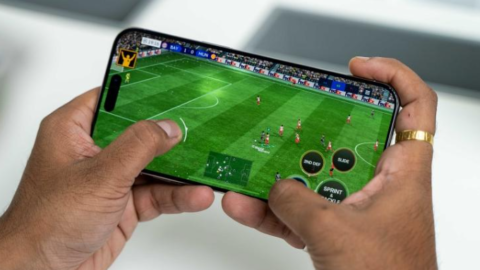
Mobile gaming has become more popular than ever. Many people now play games such as PUBG Mobile, Call of Duty: Mobile, Free Fire, Mobile Legends, and other demanding mobile games directly on their smartphones. However, one question many gamers ask before buying a phone is: How much RAM is good for gaming on a phone?
The answer depends on the games you play, your budget, your phone’s processor, and how smoothly you want your games to run. Some games work well with 4GB of RAM, while others benefit from 8GB or more. Choosing the right amount of RAM can help you enjoy smoother gameplay, switch between apps more easily, and reduce unwanted game reloads.
In this guide, we will explain what RAM does, how much RAM different types of mobile gamers need, whether more RAM improves gaming performance, and what else you should check before buying a gaming phone.
What Is RAM in a Smartphone?
RAM stands for Random Access Memory. It is the temporary memory your smartphone uses to keep apps, games, and system processes ready for use.
When you open a mobile game, your phone uses RAM to manage game data and other active processes. If you switch to another app and return to the game, enough available RAM can help your phone keep the game running instead of restarting it.
RAM is different from storage. Storage is where you save your apps, photos, videos, and downloaded games. RAM helps your phone manage active tasks while you use it.
For example, a phone with 128GB of storage does not necessarily have 8GB of RAM. These numbers describe two different things, and both matter when choosing a smartphone.
How Much RAM Is Good for Gaming on a Phone?
The amount of RAM you need depends on your gaming habits. Here is a general guide to help you choose.
2GB to 3GB RAM: Is It Enough for Gaming?
A smartphone with 2GB or 3GB of RAM is generally suitable only for light gaming and basic smartphone activities.
You may be able to play simple puzzle games, card games, and some lightweight titles. However, demanding 3D games may experience performance limitations, particularly when the phone is running other apps in the background.
You may also notice games restarting when you switch between applications.
Best for: Casual games, simple offline games, and basic smartphone use.
Verdict: Avoid this amount if you plan to play demanding modern mobile games regularly.
4GB RAM: Is It Good for Mobile Gaming?
A phone with 4GB of RAM can be suitable for casual gaming and some popular mobile games, depending on the processor, operating system, and game requirements.
Games with modest memory requirements may run acceptably, especially when you use lower graphics settings and close unnecessary background apps.
However, 4GB can be limiting if you want to play demanding games while keeping several other apps open. Some newer games may also require more memory or offer a better experience on devices with higher specifications.
Best for: Casual gamers, lightweight games, and budget smartphones.
Verdict: It can work for basic gaming, but it is not the best long-term choice for someone who plays demanding games frequently.
6GB RAM: Is It Enough for Most Mobile Games?
A smartphone with 6GB of RAM can offer a reasonable balance between price and gaming performance.
For many players, it provides enough memory to run popular mobile games while allowing some background applications to remain active. Actual performance still depends on the phone’s processor, graphics hardware, software, and the requirements of the specific game.
If your budget is limited, 6GB may be a sensible option, especially if the phone has a capable processor and good cooling.
Best for: Budget-conscious gamers and people who play a mixture of casual and moderately demanding games.
Verdict: A practical choice for many users, although 8GB can provide more breathing room.
8GB RAM: Is It the Best Choice for Gaming?
For many people buying a gaming phone today, 8GB of physical RAM is a strong target.
It provides more room for demanding games, background processes, and switching between applications. It can also help reduce situations in which the operating system needs to close background apps because memory is limited.
However, 8GB does not automatically guarantee high frame rates. A phone with 8GB of RAM and a weak processor may perform worse in a demanding game than a well-designed phone with less RAM and a stronger processor.
Best for: Regular mobile gamers, competitive players, and people who want a balanced phone for everyday use and gaming.
Verdict: A good balance of price, memory capacity, and flexibility for many mobile gamers.
12GB RAM: Is It Worth It for Serious Gamers?
A phone with 12GB of physical RAM can be useful for demanding games, multitasking, and keeping more applications active.
It may be particularly appealing if you regularly switch between games, streaming apps, messaging apps, browsers, and other software. Some high-end smartphones also combine larger RAM capacities with better processors and cooling systems.
Nevertheless, the extra RAM alone does not guarantee better graphics, higher frame rates, or less lag. If a game does not need the additional memory, the difference between 8GB and 12GB may be small.
Best for: Heavy gamers, frequent multitaskers, and users who want a high-end smartphone.
Verdict: Worth considering if the price difference is reasonable and the phone’s other specifications are strong.
16GB RAM or More: Do You Really Need It?
Smartphones with 16GB of physical RAM or more are available in some premium and gaming-focused models.
This amount may benefit particular workloads and heavy multitasking, but most people do not need to pay extra for such a large capacity solely to play mobile games.
Before buying a phone with 16GB RAM, compare its processor, cooling system, display, battery, storage, and overall price. A well-balanced phone can be a better gaming purchase than a device that emphasizes RAM capacity alone.
Best for: Enthusiasts, users with demanding multitasking needs, and people who want premium hardware.
Verdict: Usually unnecessary for casual gaming and many everyday gaming needs.
Does More RAM Make Games Run Faster?
More RAM can improve the gaming experience when your phone does not have enough memory. It can help prevent excessive background-app closures, reduce some interruptions caused by memory pressure, and make switching between apps more convenient.
However, RAM is not the only factor that determines gaming performance.
Your processor and graphics processing unit (GPU) do much of the work involved in running a game. They influence how quickly the phone processes game instructions and renders graphics.
If your phone already has enough RAM, increasing RAM capacity will not necessarily improve frame rates.
For example, a phone with 8GB RAM and a powerful processor may deliver a better gaming experience than a phone with 12GB RAM and a weaker processor.
To understand gaming performance properly, consider RAM alongside the processor, GPU, cooling system, display, and software optimization.
What Is Virtual RAM, and Is It Good for Gaming?
Some smartphone manufacturers advertise features called Virtual RAM, RAM Expansion, or Memory Extension.
These features use part of the phone’s internal storage to supplement its memory management. They are not the same as adding more physical RAM.
Internal storage generally behaves differently from physical RAM and is not a direct replacement for it. Virtual RAM may help with certain multitasking situations, depending on the phone and its software, but it should not be expected to deliver the same benefits as additional physical RAM for demanding games.
When buying a gaming phone, pay attention to its actual physical RAM capacity rather than relying only on an advertised figure that combines physical and virtual memory.
For example, a phone advertised as having “8GB RAM plus 8GB virtual RAM” does not have 16GB of physical RAM.
What Other Phone Specifications Matter for Gaming?
RAM is important, but several other features can make a bigger difference to your gaming experience.
1. Processor and GPU
The processor and graphics hardware are among the most important parts of a gaming smartphone. They determine how effectively your phone handles game logic, graphics, and other demanding tasks.
If you play graphically intensive games, compare processor performance and real-world gaming reviews rather than choosing a phone based on RAM alone.
2. Cooling System
Gaming can make a smartphone hot, particularly during long sessions.
When a phone becomes too hot, it may reduce its performance to control temperature. This can cause frame rates to drop during extended gameplay.
A phone with effective thermal management may maintain more consistent performance over a long gaming session.
3. Display Refresh Rate
A display with a 90Hz, 120Hz, or higher refresh rate can make supported games and interface animations appear smoother.
However, the screen’s refresh rate is not the same as the game’s frame rate. The game, processor, graphics hardware, and software must support the higher frame rate for you to benefit fully.
4. Internal Storage
Choose a phone with enough storage for your games, updates, screenshots, videos, and other apps.
Some modern games require substantial storage space, and their requirements can increase with updates. A phone with 128GB or 256GB may be more convenient for people who install several large games, although the right capacity depends on individual needs.
Remember that storage capacity and RAM capacity are different specifications.
5. Battery Capacity and Charging
A large battery can help you play for longer without recharging. Fast charging can also be useful if it is supported by the device.
Keep in mind that gaming, high brightness, mobile data, and high refresh rates can all increase battery consumption. Charging during intensive gameplay can also contribute to heat, so pay attention to temperature and the manufacturer’s recommendations.
6. Software Optimization
A phone’s operating system, drivers, and game optimization can influence performance.
Two phones with similar hardware may deliver different experiences because of differences in software, thermal management, and how efficiently each device runs a particular game.
Look for trustworthy reviews that test the games you actually play.
How Can You Improve Gaming Performance on Your Phone?
If your current smartphone struggles with games, try these practical steps before buying another device.
- Close unnecessary background apps. This may free memory and reduce competing activity.
- Lower graphics settings. Medium or low settings can improve performance on devices that struggle with demanding graphics.
- Keep your games and operating system updated. Updates may include performance improvements, bug fixes, and compatibility changes.
- Maintain enough free storage. Avoid filling your phone’s internal storage completely.
- Avoid excessive heat. Take breaks if your phone becomes very hot and follow the manufacturer’s temperature guidance.
- Use a stable internet connection. A reliable connection can reduce network-related interruptions in online games.
- Disable unnecessary overlays and recording features. Screen recording and some background utilities can consume additional resources.
- Check your battery and power settings. Battery-saving modes may restrict performance on some phones.
- Use graphics settings that match your device. The highest graphics setting is not always the best choice for smooth gameplay.
- Restart your phone when necessary. A restart can resolve some temporary software problems, although it will not fix inadequate hardware.
These steps can help, but they cannot make a low-end processor perform like a high-end gaming chip.
Which RAM Capacity Should You Choose for Different Games?
Your ideal RAM capacity depends on the game and your expectations.
For simple puzzle games and casual titles, 4GB may be sufficient on a compatible device. For games such as Free Fire, PUBG Mobile, Call of Duty: Mobile, and Mobile Legends, the best choice depends on the game’s current requirements and the phone’s overall hardware.
If you play competitively, prioritize stable frame rates, responsive controls, good cooling, and a reliable connection. More RAM can help when memory is a limitation, but it cannot solve every performance problem.
Before buying a phone for a specific game, check the game’s official requirements and look for recent tests using that exact phone model.
Frequently Asked Questions
Is 4GB RAM enough for Free Fire?
It may be enough on a compatible phone, depending on the game version, operating system, and other hardware. A capable processor and suitable graphics settings are also important.
Is 6GB RAM enough for PUBG Mobile?
A 6GB phone may provide a good experience if its processor, GPU, cooling, and software are capable. Check the current game requirements and real-world performance of the particular phone before buying it.
Is 8GB RAM better than 6GB for gaming?
It provides more memory headroom and may help with multitasking or games that use more memory. However, the improvement depends on whether the phone with 6GB is actually running short of RAM.
Does 12GB RAM increase FPS?
Not necessarily. More RAM can help if memory limitations are affecting performance, but FPS also depends on the processor, GPU, temperature, game settings, and software optimization.
Is virtual RAM the same as physical RAM?
No. Virtual RAM uses part of internal storage to support memory management. It is not equivalent to having the same amount of additional physical RAM.
Can I play games smoothly with 4GB RAM?
Yes, some games can run smoothly with 4GB RAM on a suitable device. However, demanding games and heavy multitasking may be more challenging, especially on phones with weaker processors.
What is the best RAM capacity for a gaming phone?
For many buyers, 8GB of physical RAM is a good starting target. Heavy gamers may prefer 12GB, while casual gamers may be satisfied with less. Always consider the complete device rather than RAM alone.
Conclusion: How Much RAM Is Good for Gaming on a Phone?
So, how much RAM is good for gaming on a phone? For many people, 8GB of physical RAM is a sensible target because it provides a useful balance between gaming, multitasking, and price.
A 4GB phone can still handle some casual games, and 6GB may be enough for many budget-conscious players. If you frequently play demanding games or keep several applications active, 12GB may provide additional flexibility.
However, the most important lesson is that RAM alone does not determine gaming performance. A powerful processor, capable GPU, effective cooling, suitable display, sufficient storage, and well-optimized software all contribute to a better experience.
Before purchasing your next gaming smartphone, compare the complete specifications and look for reliable tests of the games you play most often. Choosing a balanced phone is usually better than paying extra for a large RAM number you may never fully use.