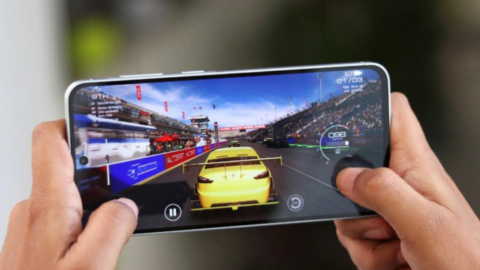
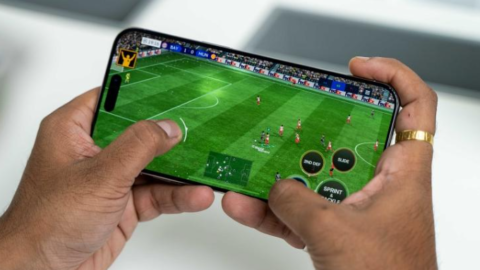
Finding a good mobile game does not have to mean spending money. In 2026, Android players can choose from a wide variety of free games, including football simulations, battle royale shooters, racing games, puzzles, strategy challenges, and casual adventures. Whether you want something to play during a short break or a competitive game to enjoy with friends, there are options for different interests and budgets.
However, not every game advertised as free offers the same experience. Some include frequent advertisements, optional purchases, large downloads, or online requirements. Others allow players to enjoy substantial gameplay without spending anything.
So, which free Android games are worth playing in 2026? The best choice depends on the type of experience you enjoy, your phone’s performance, your available storage, and whether you prefer online or offline gaming.
In this guide, we explore several popular options, explain what makes each one appealing, and share practical tips for choosing free games without wasting money or phone storage.
1. What Should You Look for in a Free Android Game?
Before installing a game, consider more than its popularity or graphics. A game that suits your device and interests will usually provide a better experience than one that simply appears at the top of a chart.
Gameplay: Look for games with enjoyable mechanics, useful progression, and enough variety to keep you interested. Beautiful graphics cannot compensate for gameplay you do not enjoy.
Performance: Check the game’s requirements and recent reviews. Some demanding games may struggle on older phones, especially when several applications are running in the background.
Internet requirements: Some games require a stable connection for every session, while others provide offline modes. Check the current listing and game instructions before downloading.
In-app purchases: A free download may include optional purchases for cosmetics, extra resources, subscriptions, or other items. Read the store listing so you understand what is included.
Storage: Game downloads and additional files can take up considerable space. Check the installation size and leave enough room for updates and your other applications.
Google Play’s game catalogue includes many genres and free-to-play options, but the price shown for downloading a game does not tell you everything about its long-term costs. Always check the details before installing. (Source: Google Play Games)
2. Which Free Android Games Are Best for Action Lovers?
If you enjoy quick reactions, competitive matches, and exciting challenges, action games may be the right choice.
Call of Duty: Mobile
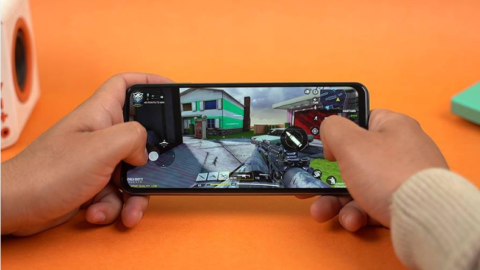
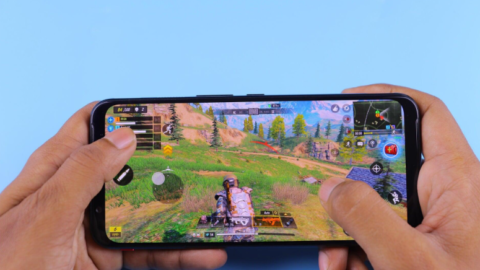
Call of Duty: Mobile is worth considering if you enjoy first-person shooters and multiplayer competition. It offers different ways to play, including team-based combat and battle royale-style matches.
Its appeal comes from its variety of weapons, maps, controls, and multiplayer experiences. Players can practise their aim, learn map layouts, and work with teammates to improve their performance.
The game is free to download, although optional purchases are available. You should also expect substantial storage requirements and an internet connection for its main multiplayer experiences.
Best for: Players who enjoy competitive shooting games and online matches.
Free Fire
Free Fire is another popular option for players who like battle royale gameplay. Players compete to survive while exploring the map, collecting equipment, and avoiding opponents.
Matches are designed around survival and quick decisions. You need to choose where to land, collect useful supplies, and decide when to engage other players.
Its mobile-focused design makes it an option worth checking if you want battle royale gameplay. Performance still depends on your phone, game settings, and current version.
Best for: Players who enjoy battle royale matches and mobile competition.
Brawl Stars
Brawl Stars is a good choice if you prefer shorter matches and colourful, fast-paced action. It features different characters and game modes, allowing players to experiment with different play styles.
Shorter rounds can make it easier to fit a few matches into a break. However, competitive modes still reward practice, teamwork, and learning how each character works.
The game includes optional purchases, so treat cosmetic upgrades and other paid items as extras rather than necessities.
Best for: Players who want quick multiplayer action.
3. Which Free Android Games Are Best for Football Fans?
Football games remain a strong option for mobile players who enjoy sports, team building, and competitive matches.
eFootball
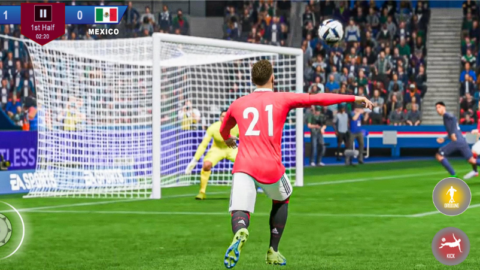
eFootball is worth exploring if you want a football game focused on controlling players, creating attacks, and competing in matches. Its appeal includes football tactics, passing, shooting, and building a team around your preferred style.
As with other live-service sports games, available content, events, and features can change over time. Check the current store listing and connection requirements before installing it.
Best for: Players who prefer football gameplay and team tactics.
EA SPORTS FC Mobile
EA SPORTS FC Mobile is another option for football fans. It combines football matches with team-building features and a changing selection of events and challenges.
You can work toward improving your squad and experiment with different players and formations. Some progression systems may encourage purchases, so avoid spending money simply because an event makes an item appear urgent.
Best for: Players who enjoy football, squad development, and regular events.
Dream League Soccer
Dream League Soccer is worth checking if you enjoy building a club and managing a team while playing football matches. Its combination of match gameplay and team progression may appeal to players who want more than isolated matches.
Check the current version’s requirements, features, and purchase options before downloading.
Best for: Players who like football matches combined with club development.
4. Which Free Android Games Are Best for Casual Gaming?
Not everyone wants intense competition. Casual games are useful when you want something simple to learn and easy to play in short sessions.
Candy Crush Saga
Candy Crush Saga is a familiar match-three puzzle game. Players match coloured candies, complete level objectives, and work through increasingly challenging stages.
It is easy to understand, making it suitable for people who want to play without learning complicated controls. Later levels can become more difficult, and the game includes systems that may encourage players to wait or purchase extra resources.
Best for: Puzzle fans who enjoy short, level-based challenges.
Subway Surfers
Subway Surfers is an endless-running game built around dodging obstacles, collecting items, and trying to achieve higher scores. Its straightforward controls make it easy to start playing.
The main challenge is improving your reactions and learning when to move between lanes, jump, or slide. It can be a good choice when you want a quick gaming session rather than a long story.
Best for: Players who enjoy reflex challenges and high-score chasing.
8 Ball Pool
8 Ball Pool brings pool gameplay to mobile devices, with matches against other players and progression systems. It is a good option if you enjoy aiming, planning shots, and competing in a familiar sport.
Online play and in-game currencies are important parts of the experience, so pay attention to entry requirements and avoid risking resources you cannot afford to lose.
Best for: Players who enjoy sports-style competition and precision.
5. Which Free Android Games Are Best for Strategy Fans?
Strategy games reward planning rather than quick reactions alone. They can be especially satisfying if you enjoy building, managing resources, and making decisions that affect later results.
Clash of Clans
Clash of Clans combines village building, resource management, troop upgrades, and attacks on other bases. Players develop their defences and armies while deciding how to spend resources.
Progress takes time, and joining a clan can add a social element. Optional purchases may speed up certain processes, but you should decide whether those benefits are worth the cost before spending.
Best for: Players who enjoy base building and long-term planning.
Clash Royale
Clash Royale blends strategy with real-time battles. Players choose a deck of cards, manage resources, and deploy units or spells to defend their towers and attack opponents.
Success depends on timing, understanding card interactions, and adapting to your opponent. It is a useful option for players who like short but competitive matches.
Best for: Players who enjoy tactical decisions in quick battles.
Pokémon TCG Pocket
Pokémon TCG Pocket offers a digital card-collecting and battling experience. It may appeal to players who like collecting cards, building decks, and thinking carefully about their choices.
Before starting, check the current rules, available features, and any limits or purchase options associated with collecting cards.
Best for: Players who enjoy collectible cards and turn-based strategy.
6. How Can You Find Good Free Android Games for Your Phone?
A recommendation is only useful if the game works well on your device. Use the following steps before downloading anything.
Check the official store listing
Start with Google Play. Review the developer name, recent update information, age rating, permissions, and in-app purchase details. You can also read recent reviews to see whether players are reporting crashes, connection problems, or performance issues.
A high rating is useful, but it is not a guarantee that a game will run smoothly on every phone.
Check the hardware requirements
Look for information about supported Android versions and device compatibility. For demanding games, make sure your phone has enough memory and storage.
If you use an entry-level phone, consider trying simpler games first. You do not need the most graphically demanding title to have fun.
Review the internet requirements
Do you want to play while travelling or when your data connection is unavailable? Check whether the game supports offline play and whether it needs an internet connection for its first launch, updates, or particular features.
Do not assume that a game works offline just because it is free.
Read recent user reviews
Focus on recent comments rather than relying only on old reviews. Game updates can change performance, pricing, and features.
Look for repeated complaints about intrusive advertisements, unexpected downloads, crashes, or paywalls. One negative review may not tell the whole story, but repeated reports can reveal useful patterns.
7. Are Free Android Games Really Free?
This is an important question because free to download does not always mean free of additional costs.
Many free-to-play games earn money through advertising, optional purchases, season passes, subscriptions, or in-game currencies. Some allow you to enjoy the main experience without paying, while others may place limits on progression or encourage frequent spending.
Before playing, check these points:
- Advertisements: Does the game display ads between levels or during menus?
- Optional purchases: Can you buy coins, characters, skins, or other items?
- Progression: Can you keep progressing without paying, even if it takes longer?
- Online competition: Do purchases offer advantages that may affect your experience?
- Spending controls: Can you require authentication before purchases on your device?
If you are setting up a phone for a child, review age ratings, parental controls, and purchase settings before installing games.
You should never need to enter payment information on an unofficial website to unlock a supposedly free version of a game.
8. How Can You Keep Free Games From Wasting Your Phone’s Storage?
Installing too many games can quickly fill your phone’s storage, especially when games download extra content after installation.
Start by checking available storage in your Android settings. Before downloading a large game, consider whether you have enough space for its additional files and future updates.
Remove games you no longer play, but make sure your progress is backed up or linked to the appropriate account first. Uninstalling a game may remove locally saved progress.
You can also avoid downloading several large games at the same time. Try one game, see whether you enjoy it, and then decide whether to keep it.
If a game runs poorly, close unnecessary applications, install official updates, and lower graphics settings when available. Avoid unfamiliar apps that promise unrealistic performance improvements or request unnecessary permissions.
For more advice, read our Playvezio guide: How Can You Reduce Lag in Mobile Games on Android? Add an internal link to that article when publishing this post.
9. Which Free Android Game Should You Choose First?
The best choice depends on what you want from gaming.
- For action: Try Call of Duty: Mobile or Free Fire.
- For quick multiplayer sessions: Consider Brawl Stars.
- For football: Explore eFootball, EA SPORTS FC Mobile, or Dream League Soccer.
- For puzzles: Try Candy Crush Saga.
- For reflex challenges: Consider Subway Surfers.
- For pool: Explore 8 Ball Pool.
- For base building: Try Clash of Clans.
- For tactical battles: Consider Clash Royale.
- For card collecting: Explore Pokémon TCG Pocket.
These are recommendations to investigate, not a guarantee that every title will suit every device or remain unchanged throughout 2026. Availability, requirements, prices, and features may vary by country and over time. Confirm the current details in Google Play before installing.
Frequently Asked Questions
What is the best free Android game in 2026?
There is no single best game for everyone. Call of Duty: Mobile may appeal to shooter fans, eFootball to football fans, and Candy Crush Saga to puzzle lovers. Choose based on your preferred genre and device.
Can I play free Android games without internet?
Some games support offline play, but many multiplayer titles require an active connection. Check the current store listing and test offline functionality before relying on a game while travelling.
Do free Android games contain advertisements?
Some do, while others rely on optional purchases or other business models. Review the store listing and recent player feedback to understand what to expect.
Are free games safe to download?
Use official app stores, verify the developer, review permissions, and avoid unofficial modified versions. No download source can guarantee that every app is risk-free, so use sensible precautions.
Can I play these games on a low-end Android phone?
It depends on the game and your device. Lightweight puzzle and arcade games may be more suitable than demanding multiplayer titles. Check compatibility and graphics options before downloading.
Conclusion
There are plenty of free Android games worth exploring in 2026, whether you enjoy action, football, casual puzzles, racing-style challenges, or strategic battles. You can find something entertaining without paying an upfront price, but it is important to understand advertisements, in-app purchases, internet requirements, and storage needs.
Start with a game that matches your interests, confirm that your phone supports it, and try the free experience before considering any purchases. Most importantly, choose games because you enjoy playing them—not because a promotion makes you feel that you must spend money.
At Playvezio, our goal is to help mobile gamers make informed choices and get more enjoyment from their devices. Explore different genres, discover what suits your playing style, and keep checking back for more practical gaming guides.